
Cross Stitch Apps That Actually Help With Your Project in 2026
Posted by Tracey M. Kramer on 10th Nov 2026
A Note from Tracey Kramer
I have been designing counted cross-stitch patterns since 2004, and in that time I have watched my customers stitch everything from wedding gifts to heirloom samplers. This is everything I know about this topic -- from real experience, not theory.
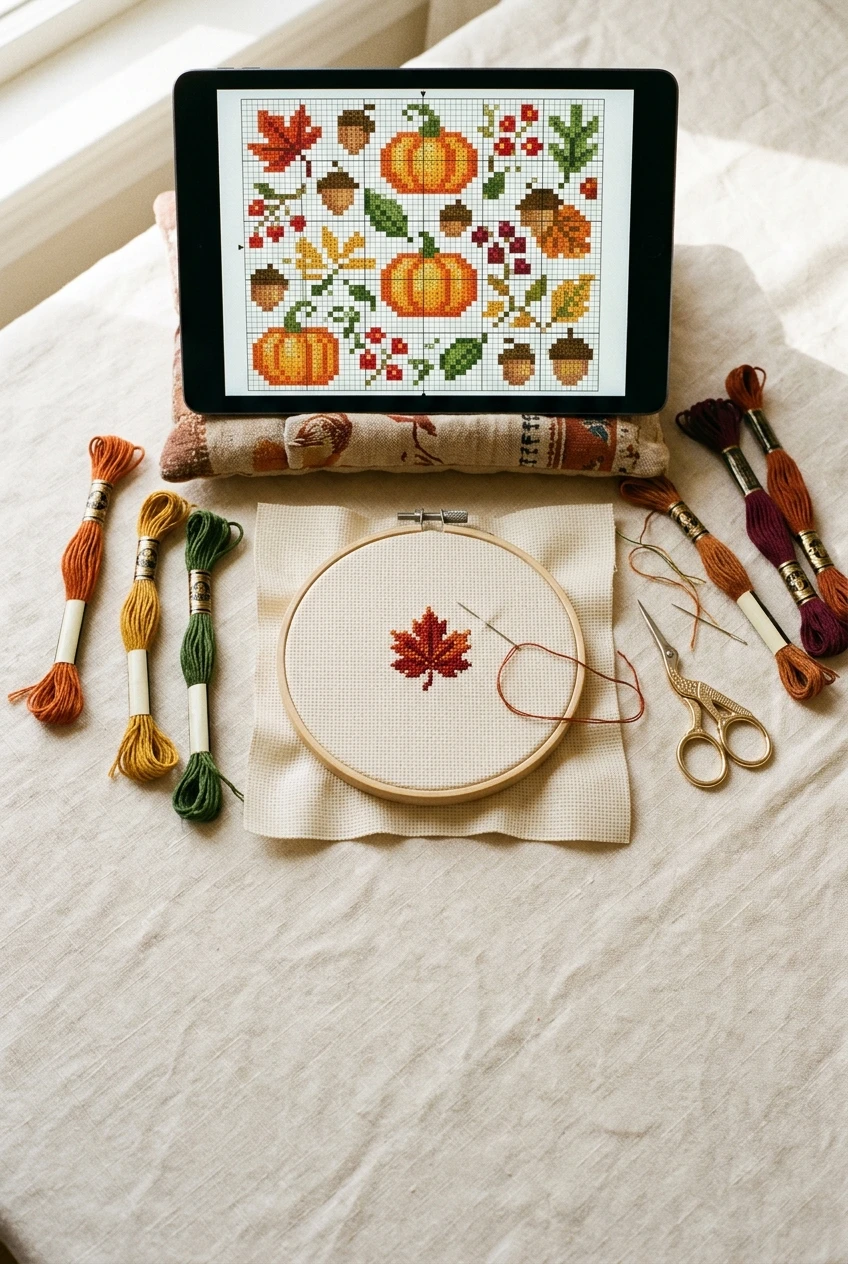
Tablet showing a cross stitch app chart beside embroidery hoop, DMC floss, and scissors
By Tracey Kramer • • 12 min read
Every week someone emails me asking which app they should use to stitch one of my charts on a tablet, and in 2026 the honest answer is that the software has finally gotten good enough to change how most of us work. The best cross stitch apps right now are Pattern Keeper for marking off a PDF pattern stitch by stitch, Markup R-XP and Cross Stitch Saga as the strongest options for iPad, and our own free Sunrays Floss Tool for floss conversions and fabric math. After 22 years of designing charts, I still keep a paper copy on my lap desk, but I'd be lying if I said my tablet hasn't saved me hundreds of hours of counting.
Why a Pattern App Is Worth It (Even If You Love Paper)
I resisted this for a long time. I came up stitching from magazine charts and photocopies, highlighter in hand, and there's a real satisfaction in watching a paper chart fill up with color as you go. But paper has limits that get painful on anything bigger than a small sampler. You can't zoom in. You can't un-highlight when you miscount. And if you set a 40-page chart down on the couch, something will spill on it.
A pattern app solves the three problems that eat the most stitching time. First, place-keeping. The app tracks exactly which stitches you've completed and shades them out, so when you come back after four days you're not hunting for where you stopped. Second, magnification. On an 18-count design with heavy confetti, being able to pinch-zoom into a single symbol instead of squinting at a 6-point font is the difference between a relaxing evening and a headache. Third, floss tracking. Most good apps will tell you how many stitches of DMC 3787 remain in the whole chart, which is genuinely useful when you're deciding whether to buy another skein.
There's one more benefit nobody mentions until they've experienced it: fewer frogging sessions. Most of my miscounts over the years came from losing my place on a chart, not from bad technique. When the app knows where you are, you make fewer errors, and fewer errors means less ripping out at midnight.
That said, I want to be clear about something. An app is a place-keeping tool, not a replacement for knowing how to read a chart. If symbols, color keys, and center arrows still feel foreign, learn those on paper first. The app makes a skill faster. It doesn't hand you the skill.
Pattern Keeper: Still the One Everyone Talks About
If you spend any time on FlossTube or in stitching groups, you already know the name. Pattern Keeper is the app that made tablet stitching mainstream, and in 2026 it's still the one I recommend most often to people working large charts.
What it does well
You load a PDF pattern, the app reads the symbols and the color key, and then it rebuilds your chart as an interactive grid. Tap a stitch and it's marked complete. Tap and drag and you can mark a whole run. It shows you stitch counts per color, remaining counts, and percentage complete. There's no automatic sync between devices, but you can export your progress and import it on another tablet. For a BAP that will take you two years, that progress bar alone is worth the price.
The features I use most are the single-color highlight mode, which dims every symbol except the one you're currently working, and the parking view that makes the parking method genuinely manageable instead of a sticky-note nightmare. If you've avoided big designs because the page-flipping drove you crazy, this is the fix.
Here's the simple way I work with it. When I kit up a new project, I load the PDF chart into Pattern Keeper right then, while the fabric and floss go into the project bag. After that it's just marking stitches complete as I go and watching the remaining count for each color shrink. Every so often I export my progress as a backup. Nothing syncs on its own, so that exported file is what saves you if the tablet ever fails.
The catch
Pattern Keeper is Android only. That's the single biggest reason stitchers buy a cheap Android tablet even though they own an iPad. It also costs a one-time fee rather than being free, and it can only open PDFs that contain real, selectable text symbols. Scanned charts, image-only PDFs, and some older magazine scans won't load at all.
I get support emails about this constantly, and nine times out of ten the fix takes about two minutes once you know what's actually wrong. Our charts are built to open properly, but if you've ever seen that error screen, it's worth understanding why it happens before you assume the pattern is broken.

Tracey Recommends
Samsung Galaxy Tab A9+ Tablet 11 64GB Android Tablet, Big Screen, Quad Speakers, Upgraded Chipset, Multi Window Display, Slim, Light, Durable Design, US Version, 2024, Graphite
This is the sweet spot for Pattern Keeper users: it's Android, the 11-inch screen shows a generous chunk of chart without constant scrolling, and it's light enough to live on the end table next to your chair. The multi-window display means you can keep your floss conversion tool open beside your pattern. You do not need a flagship tablet to stitch from a screen.
Check Current Price →An app is a place-keeping tool, not a replacement for knowing how to read a chart. It makes a skill faster. It doesn't hand you the skill.
The Other Cross Stitch Apps Worth Knowing in 2026
Pattern Keeper isn't the only option, and depending on your device and your stitching style, it may not be the right one for you.
Cross Stitch Saga
Saga is the other big name in stitch tracking, and it's an Apple pick now: new buyers can only get it on iOS, since Google Play sales ended in 2025. The important thing to know is that Saga doesn't import PDF charts. It opens chart files in formats like PAT, OXS, XSD and its own SAGA format, so it shines when your designer sells patterns in those formats. If your patterns come as PDFs, look at Markup R-XP below instead. Saga tracks completed stitches and handles color filtering much the way Pattern Keeper does, and some stitchers find its zoom and scroll behavior smoother. It's a one-time purchase, about $15 on the App Store, rather than a subscription.
Markup R-XP and general annotation apps
If you're on an iPad and your charts are PDFs, Markup R-XP is the markup app built specifically for cross stitch. It detects the symbols on your chart, stitches multi-page patterns together into one continuous view, and keeps stitch counts as you mark, which makes it the closest thing to Pattern Keeper on Apple. And when people search for the best mark up app for cross stitch patterns, sometimes they don't need a stitch-tracking engine at all. They just want to highlight a PDF and have it save. GoodNotes, Notability, Xodo, and the built-in markup tools on most tablets all do this beautifully, and they work with any PDF at all, including scanned charts that Pattern Keeper rejects. Those general apps won't count stitches for you, but they work with anything and feel exactly like a highlighter on paper. For small and medium charts, that's honestly all a lot of stitchers need.
Floss inventory apps
Apps like Threadster or Thread Organizer let you keep a list of which DMC numbers you own so you stop buying 310 for the ninth time. I use one before every supply order. Pair it with a sensible floss storage system and you'll save real money over a year.
Whichever app you pick, the list is only as good as the last time you updated it. I update mine when I finish a project, not when I start one, because that's when I actually know which skeins are down to a few strands. Anything under about half a skein gets noted as low, so it lands on the next shopping list instead of surprising me halfway through a border.
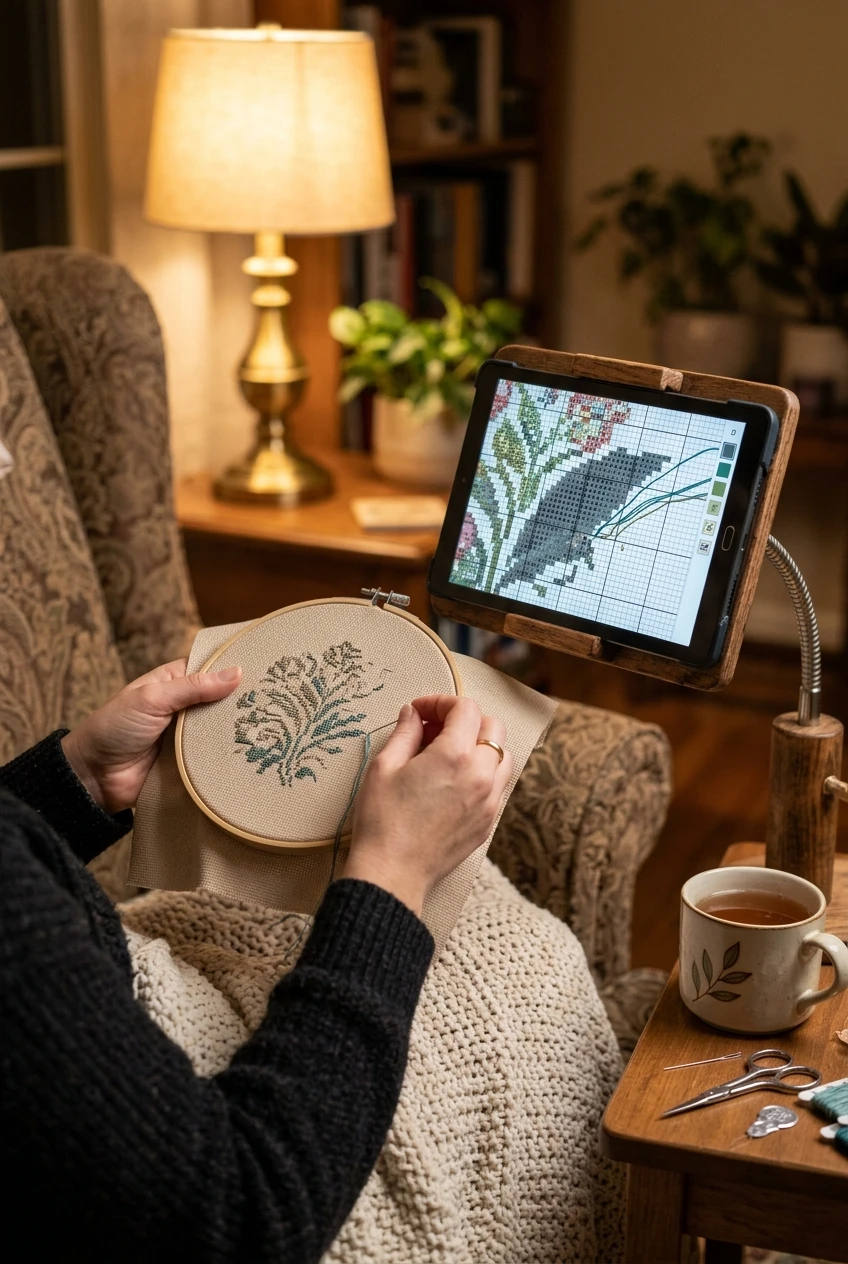
Stitcher working a hoop while a tablet app displays the cross stitch chart with marked stitches
Sunrays Floss Tool: Our Free Conversion App
This one is ours, and I'll tell you exactly what it does and doesn't do so you can decide whether it earns a spot on your phone.
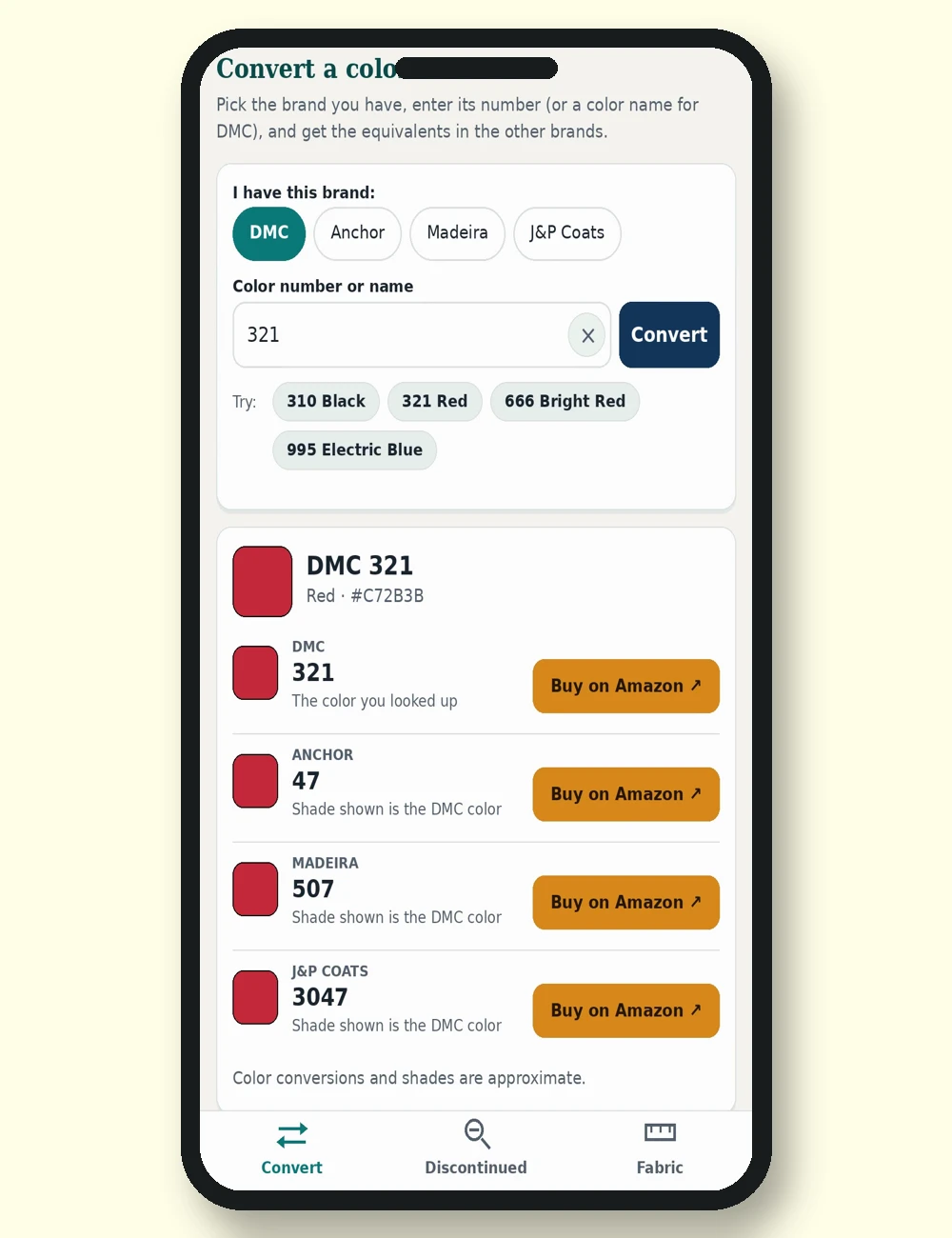
The Sunrays Floss Tool does three jobs. It converts floss colors between DMC, Anchor, Madeira and J&P Coats, so if you're working an older chart written in a brand you don't stock, you can convert the key color by color. It finds replacements for discontinued colors, which has become a genuine headache in the last few years as DMC has retired numbers that older patterns still call for. And it calculates fabric sizes, so you can work out exactly how big a piece of Aida you need for a given stitch count before you cut.
Using it is simple. On the Convert tab, choose the brand you have and enter the color number, and you get the matching number in each of the other brands. DMC 321, for example, comes back as Anchor 47, Madeira 507 and J&P Coats 3047, and each result has a Buy on Amazon button if you need to pick up a skein. The Discontinued tab finds a replacement when a color you need has been retired, and the Fabric tab works out how much fabric a design needs. One honest note: conversions are matched by shade and are approximate. When the color really matters, hold the actual skein up in good light before you commit to it.
It's completely free. You don't need an email address, an account, or a signup to use it. It also works offline, which matters more than you'd think when you're standing in the thread aisle of a craft store with one bar of signal trying to figure out whether Anchor 403 is the black you need.
We built it because those were the three questions we answered most often in customer emails. It's not a stitch tracker and it won't open your PDF pattern. It does conversions, substitutions, and fabric math, and it does them without asking you for anything.
|
Patterns from the Sunrays Collection Tracey's Picks, designing cross stitch patterns since 2004 | |||||
| |||||
| Browse the full Sunrays collection → |


The Hardware That Makes Any App Worth Using
You can run most of these apps on a phone, but you'll hate it. The screen is too small to see enough of the chart at once, and you'll spend the evening scrolling instead of stitching. A tablet is the real unlock.
Screen size and platform
For Pattern Keeper you need Android, and you do not need a flagship. A mid-range Android tablet (find on Amazon) in the 10 to 11 inch range handles these apps without complaint and costs a fraction of a premium device. Go bigger than 8 inches if you can. The extra screen real estate means less scrolling and fewer place-keeping mistakes. If you're an iPad household and don't want a second device, Markup R-XP is your path for PDF charts, and Cross Stitch Saga if your patterns come as PAT, OXS or XSD chart files.
Where you put it matters
This is the part people skip. Holding a tablet in your lap while stitching with a 6 inch hoop in the other hand does not work. You need the screen propped at a comfortable angle near your stitching hand. A tablet pillow stand (find on Amazon) on the sofa cushion beside you, or a small adjustable stand on an end table, keeps your neck neutral and your eyes from bouncing between two distances all night. I've learned the hard way that neck strain ends a stitching session faster than tired eyes do.
Small accessories that help
A matte screen protector (find on Amazon) cuts the glare that makes symbols hard to read under a lamp. A capacitive stylus pen (find on Amazon) is far more precise than a fingertip when you're marking individual stitches in a dense confetti section, and it keeps fingerprints off the screen. Turn your screen timeout to fifteen minutes or longer so you're not tapping the screen awake every two minutes. And set up a good lamp regardless. No app fixes bad lighting, and your fabric still needs real light even when your chart glows.
Plan for power, too. A good stitching session can run for hours, and a tablet with its screen on the whole time will drain the battery. Sit near an outlet with the charging cable in reach, or keep a small power bank in your project bag, so a flat battery doesn't end your evening before you're ready to stop.
One habit worth building: back up your progress. Pattern Keeper doesn't sync on its own, so export your progress every so often and keep a copy somewhere other than the tablet. Losing two months of tracked stitches on a BAP is a specific kind of heartbreak.
Get Stitching Tips & New Patterns from Tracey
Honest advice, new Sunrays designs, and occasional VIP-only offers. No fluff.
No spam. Unsubscribe any time.

Tracey Recommends
Lamicall Tablet Pillow Stand iPad Bed Soft Holder for Lap 6 Viewing Angles | Soft, Relieve Neck Fatigue, 6 Viewing Angles, Sofa Tablet Dock for 4-13" iPad Pro Air Mini Kindle Galaxy Tab E-Reader Gifts
Holding a tablet while you stitch is a recipe for a sore neck by episode three. This soft pillow stand sits on the sofa cushion beside you and props the screen at six different angles, so your chart stays at eye level and your hands stay free for your hoop. It fits everything from a Mini up to a 13-inch tablet.
Check Current Price →What Apps Still Can't Do (And Why I Keep Paper Around)
I sell digital pattern downloads and printed patterns both, and the split in my orders tells the story: plenty of people want both formats for the same design. They stitch from the tablet and keep the paper chart as reference and backup.
Here's what the screen doesn't replace. You can't lay a tablet flat on the dining table and stand over the whole chart to see how the composition reads. You can't scribble a note in the margin about which strand count you blended on that one shadow. And you can't hand a tablet to your daughter in twenty years with your grandmother's penciled notes still on it.
An app also can't catch your mistakes. It marks what you tell it you've stitched, but it can't see a miscount or a stitch sitting one square off. It can't tell you whether a substituted color actually works next to its neighbors in real light. And it can't hold your finished piece up against the chart. Your own eyes do all of that, which is why I still step back and look at my work every session.
There's also battery life, glare on a sunny porch, and the simple fact that screens pull at your attention in a way paper doesn't. Part of why we stitch is to step away from notifications. If your pattern lives on the same device as your email, turn on do-not-disturb before you start. I'm serious about this one. The calm is the point.
My actual workflow after 22 years: tablet for the stitching session, paper for planning. Before I start a new piece I print the chart, mark my gridding lines, note my fabric size and floss substitutions in the margin, and then work from the app. The two tools do different jobs, and I use whichever one fits the moment.
The right app won't make you a better stitcher, but it will give you back the hours you've been losing to counting, scrolling, and finding your place. Pick the one that fits the device you already own, prop it up where your neck will thank you, and get back to the part you actually love. If you're looking for a chart worth all that setup, come browse the Sunrays Creations pattern library and find your next project.
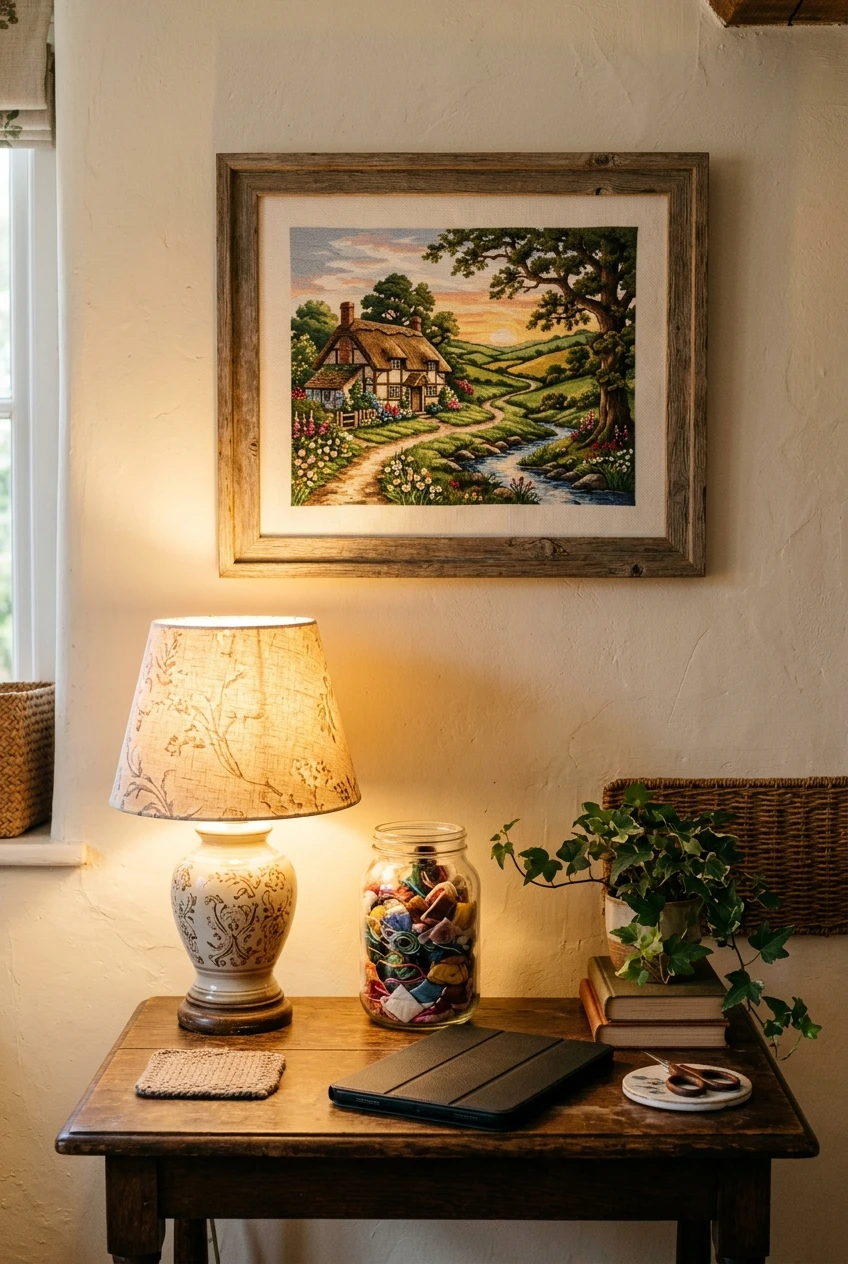
Framed finished cross stitch landscape on a wall above a side table with tablet and lamp
Keep Reading
Why Pattern Keeper Won't Load Your PDF Pattern (And How to Fix It in 2 Minutes)
If your chart throws an error when you try to import it, this walks through exactly why it happens and how to get it loading. It's the most common app question I get.
Fix the ErrorHow to Read a Cross Stitch Pattern: A Complete Guide for New Stitchers
Apps speed up chart reading, but you still need to understand symbols, keys, and center markers. Start here if charts still feel like a foreign language.
Read the GuideHow to Track Your Cross Stitch Progress (9 Real Methods)
Not every stitcher wants a tablet. This covers the low-tech tracking methods that work just as well on paper charts.
See the MethodsFrequently Asked Questions
What is the best cross stitch app in 2026?
Pattern Keeper is still the one I recommend most for tracking stitches on a PDF chart, especially for large projects. It's Android only, so iPad users should look at Markup R-XP for PDF charts, or Cross Stitch Saga if their patterns come as PAT, OXS or XSD chart files. For simple highlighting, a general markup app like GoodNotes or Xodo does the job on any PDF.
Is Pattern Keeper available for iPhone or iPad?
No. Pattern Keeper is Android only, which is why a lot of stitchers buy an inexpensive Android tablet just for stitching. If you want to stay on Apple, Markup R-XP is the closest match for PDF charts, and Cross Stitch Saga (a one-time purchase on iOS) works well if your patterns come as PAT, OXS or XSD files.
Why won't my PDF pattern open in Pattern Keeper?
The app can only read PDFs that contain real, selectable text symbols. Scanned charts and image-only PDFs won't load. It's usually a quick fix once you know what's wrong, and I've written a separate walkthrough for it.
What does the Sunrays Floss Tool do?
It converts floss colors between DMC, Anchor, Madeira and J&P Coats, finds replacements for discontinued colors, and calculates fabric sizes. It's completely free, works offline, and doesn't require an email or signup. It isn't a stitch tracker and won't open your PDF chart.
Do I need a tablet to use a cross stitch app?
You can run most of them on a phone, but the screen is too small to see enough chart at once and you'll spend the evening scrolling. A tablet in the 10 to 11 inch range is the real upgrade, and a mid-range model handles these apps fine.
Should I still buy a printed pattern if I use an app?
Plenty of my customers buy both for the same design. The tablet handles the stitching session and the paper chart is for planning, margin notes, and backup. The two tools do different jobs.
-- Tracey Kramer
Founder & Designer, Sunrays Creations Needlearts
Hand-charted designs since 2004 • Marysville, Ohio